





226 W. Ojai Ave., Ste 101 #455
Ojai, CA 93023


How we turn a stuttering parade into fluid motion
Restoration Notebook · FilmFix Cross-Frame Interpolation
FilmFix offers clients the opportunity to use cutting-edge technology to bring old film into the 21st Century! We believe you will be impressed by the results.
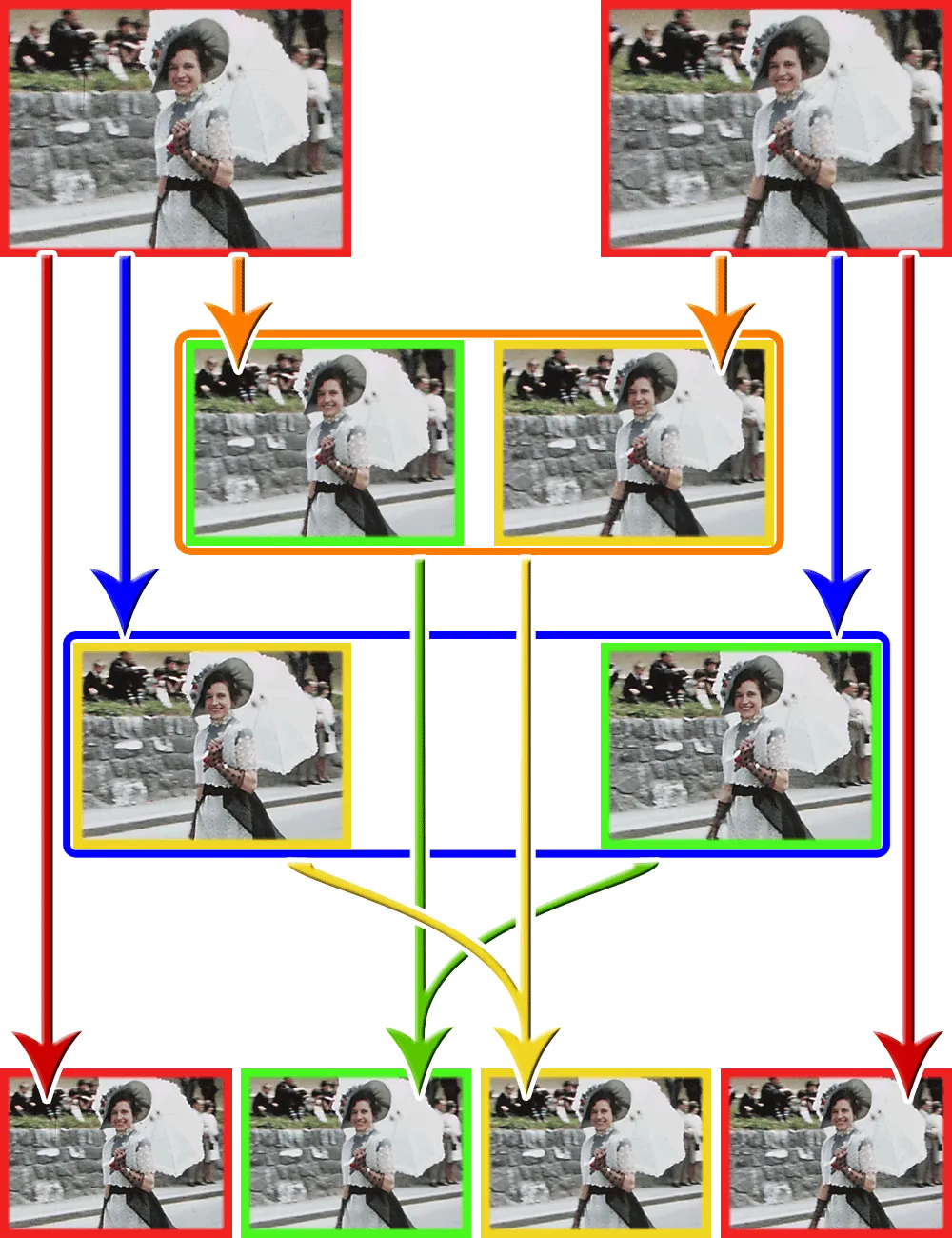
Essentially interpolation takes a stuttering image and smooths it out. We achieve this by "borrowing" a certain amount of image information from two successive frames and sandwich two more newly created frames in between those two original frames. We now have four frames from those two original frames thus a smoother visual experience. It almost starts to look like video!
Here is a frame-by-frame walk through of our ×3 interpolation approach. We'll cover the two sub-variants we build -- the cross-variant technique that keeps grain from boiling, and, why we never let the interpolation paint across a cut.
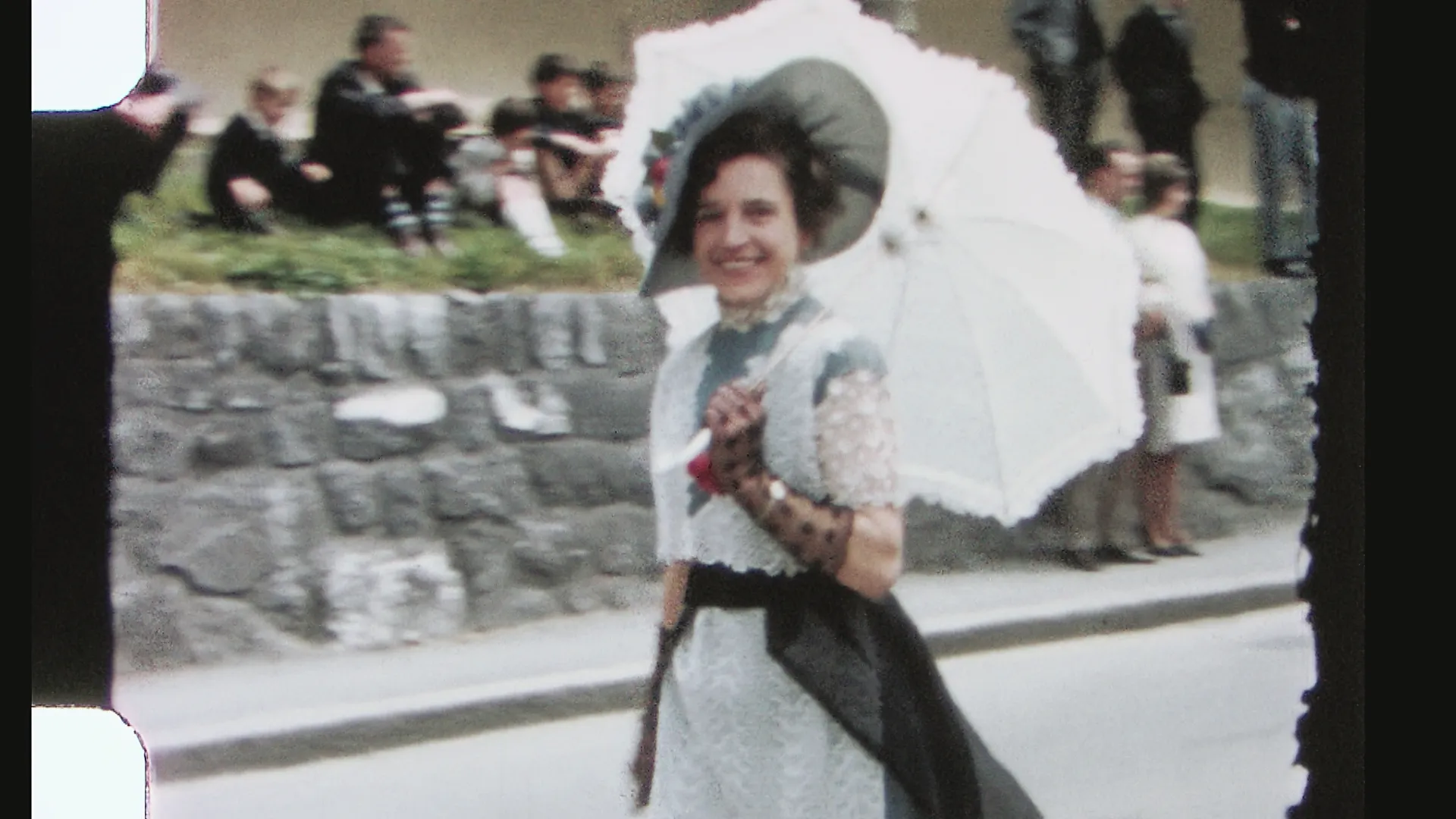
The hand-held Double 8 footage of the parade, below, is a perfect test case. Most film in this format was shot at 16 frames per second (fps), but this reel was almost certainly shot slower — closer to 14 fps. Shooting at a lower frame rate was known as "undercranking" and was a common practice among film buffs. Running the camera below its standard speed allowed an expensive roll of film to be stretched into more recording seconds - and as an often overseen side-effect would slightly overexpose the film if not compensated for. Undercranking allowed more light onto each film frame, and as you will notice that parade reel is just lightly overexposed. Nonetheless, played back at 16 fps makes it appear sped-up. Using Interpolation, we set it to its true 14 fps!
At the original state of 14 fps, there is barely any motion sampled between one frame and the next. Marchers in the parade strobe forward in visible steps, flags stutter instead of ripple, and a slow pan down the crowd creates a disco-like strobe effect. That's where our technique creates the kind of footage where ×3 interpolation earns its value!
Why we use 42 fps, not 50 or 60
We don't interpolate toward a round TV-standard target number, instead we triple the footage's true capture rate. A 14 fps reel becomes 14 × 3 = 42 fps (a 16 fps reel would land on 48 and an 18 fps reel on 54 fps). Multiplying the real rate means every original frame keeps an exact, evenly spaced slot with two generated frames between it and the next — no resampling, no drift, originals untouched.
Below is the actual pipeline we ran on this reel, in order, with stills pulled straight from the working folders. The stills we base the interpolation on are uncropped, full-frame (click an image to reveal the overscan). That overscan shows the sprocket-hole area and extra image information along the sides — detail that benefits the interpolation. These files have already been color-graded and image-stabilized, and are compression-free 8-bit master files.
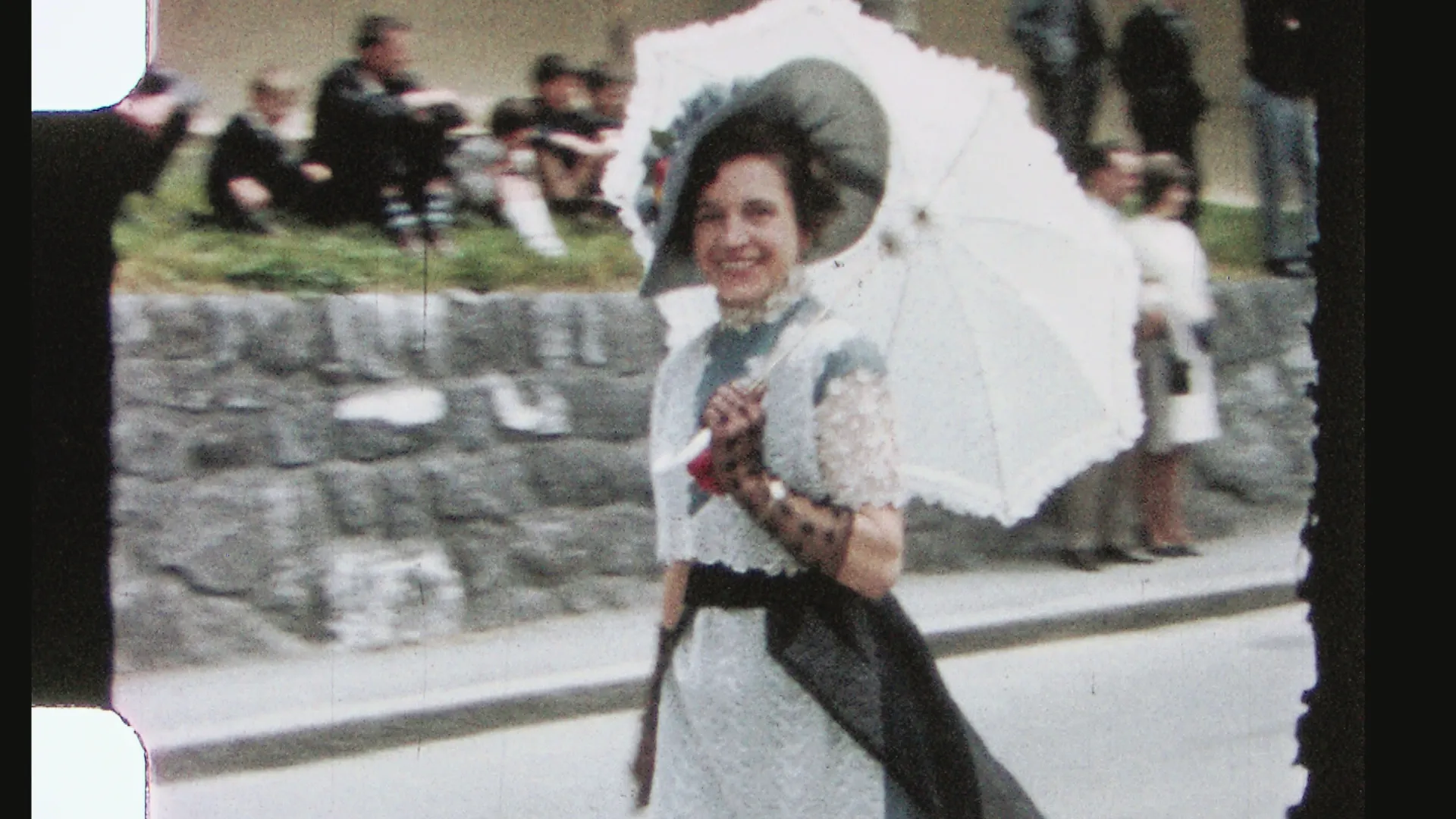
The Masters. Our starting point leaves the original film overscan, debris and grain intact. Nothing here is altered; these survive into the final cut exactly as scanned.
Wander through the finished sequence
Every third frame is an untouched master; the two between it were never on the film. Step with the arrows (hold to scrub), click the image to advance, or press play for a slow ~8 fps walk.
100% · actual pixels — the three windows on the frame above, pixel-for-pixel from the original file. The numbered boxes on the frame mark each window — drag a box (or pan inside a window) to look anywhere within the framing. We parked them on the hard cases, with fast-moving edges (the hand and arm appearing from behind the dress) and the background right behind her, where naïve interpolation would leave a "ghosted smear" trailing the motion. Flip frame by frame and check — the grain reads as grain - and much less drag than a video tool providing "Optical Flow" will produce. Gold badge = real film frame · rust = generated in-between.
01Two sub-variants from one frame
extract → sharp · grain-free
Before any motion is computed, each master frame is rendered into two cleaned sub-variants. They are not deliverables — they are scaffolding for the interpolation step.
Sharp has only debris removed: dust, scratches and splice marks are gone, but the film's grain and fine detail are fully present.
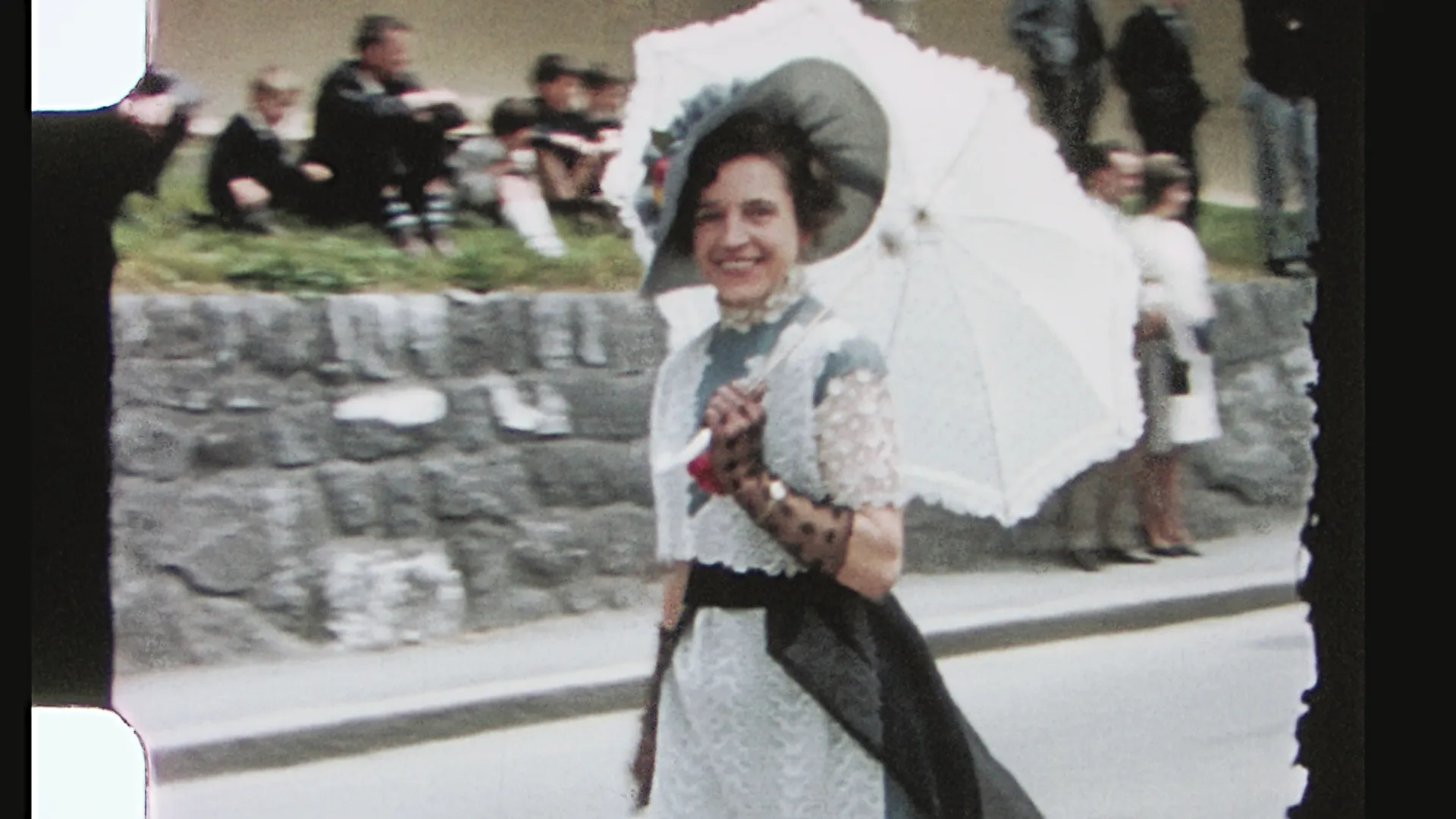
Grain-free goes one step further and removes the grain as well, leaving a smooth, slightly softer image that carries the scene's content without its noise.
Same frame, two readings!
The first variant (top) keeps every grain of real detail. The second variant (bottom) keeps the motion and content but drops the noise. The next step plays these two against each other.
02The cross-variant trick
interpolate · keep the sharp-leaning half
This is the part we are quietly proud of. Instead of interpolating sharp-to-sharp (which boils) or grain-free-to-grain-free (which loses detail), we interpolate across the two variants — and we do it twice, in opposite arrangements.
For a ×3 result we need two new frames between every pair of masters: one a third of the way across, one two-thirds across. Each is generated from a pair whose sharp end is the master it sits closest to, and whose far end is grain-free. Because one end of every interpolation carries no grain, the model finds no false speckle-motion — yet the kept frame still hugs a sharp master, so real detail is preserved.
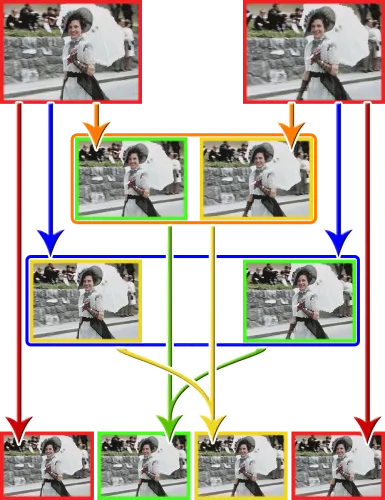
From each pass we discard the half that sits nearer the grain-free end and keep only the sharp-leaning half. Stitch the two kept halves together and every in-between frame is detailed where it matters and grain-stable everywhere else — across the whole sequence, grain reads as grain instead of boiling into a snow-storm.
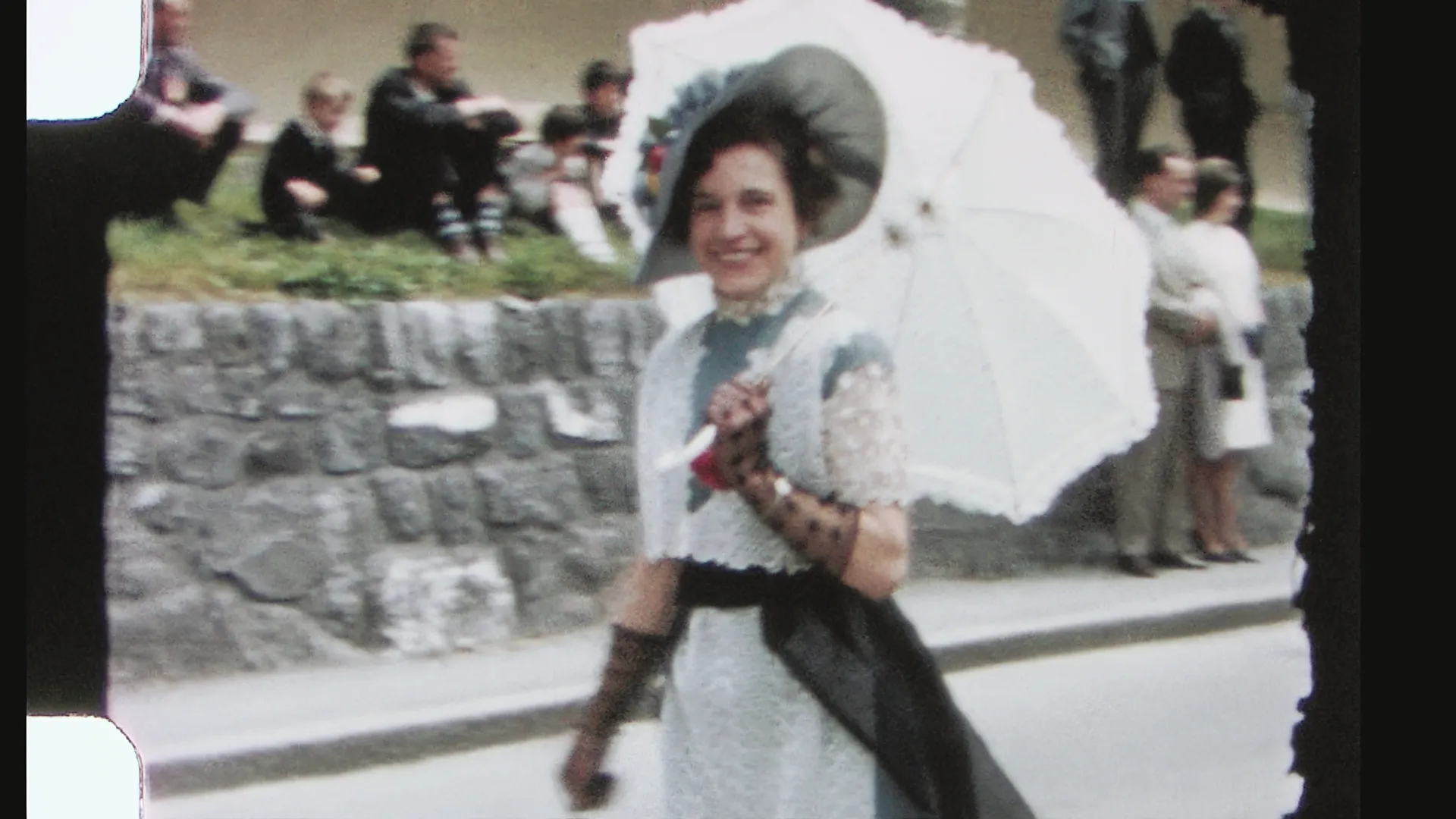
Making the seam invisible
Handling grain isn't quite enough on its own. A generated frame can still give itself away if it carries more — or less — edge detail than the original frames around it. When that happens, every third frame seems to faintly "pop" as the picture alternates between shot and computed, a subtle shimmer along edges that the eye catches even when each frame looks fine on its own.
The culprit is usually too much sharpening on the variant. Over-sharpen it and every hard edge gets exaggerated — and because grain sits right along those edges, the grain appears to crawl and reposition around them from one frame to the next. The fix is simply to ease off: we pull the variant's sharpening back until it matches the master's own detail rather than exceeding it. With the two sitting at the same level there's no edge to shift, the ⅓ and ⅔ frames slot is without a visible seam, and — as the next steps lean on — the whole sequence becomes consistent enough to clean as one piece.
03Where interpolation fails
A motion-aware model interpolates by finding where each piece of the image moved between two frames, then drawing the in-between position. That works well enough for a marcher's arm or a passing float. But, it fails in three characteristic ways.
1. Grain. Film grain is essentially random noise — a different speckle pattern on every single frame. Ask the interpolation model to track motion between two grainy frames and it dutifully tries to match speckle to speckle, inventing tiny, incoherent "movements" all over the picture. The result is boiling grain: a snow-storm-like artifact of invented motion that smears and crawls across the image, its shifting flow at times resembling a flock of birds or a school of fish changing direction — so that what should be a still patch of sky or pavement never holds still. This particular parade reel isn't the one to show it on. The takes are too short and carry too much camera movement and too many quick-moving marchers. Boiling grain is easiest to spot in a longer take with little camera movement and a large, uniform surface like sky.
2. Areas revealed from behind a moving object: When something moves, it uncovers an image that wasn't visible in the previous frame — the model has no earlier information to draw from, so it smears the newly exposed area instead. This parade footage shows the problem perfectly. Direct your focus to the wall and sidewalk behind the flag-holding kids parading by and you'll see how standard interpolation quickly falls apart. The optical-flow pass adds a ghost-like smear that follows the kids' movement. Even our cross-sub-variant approach starts to break down here — but it holds up far better than the optical-flow filter.
3. Interpolation across cuts. This parade reel is a chain of separate takes. At every edit, two neighboring frames show completely unrelated scenes. An interpolator that doesn't know where the cuts are reads that jump as one enormous motion and tries to morph one shot into the next. For a few frames, the two scenes melt into each other in a smeared dissolve nobody ever filmed. You can watch it happen in the comparison player: Switch to "EDIUS optical flow" and drop the speed to ¼×, then keep your eye on any cuts. Our CrossFrame pass detects every cut ahead of time and holds the frame instead, so that each transition remains a clean, hard cut — exactly as the film intended! (section 04 shows how)
Playing at half speed so the differences are easy to catch
At 1× both sides run the same real-time length, while the extra frames smooth out the motion. They don't stretch it out. Drag the handle to wipe between them and watch the wall and sidewalk behind the marchers.
ASSET_BASE in the script at the public URL of the web/ folder to load the clips.The fix in one line
As explained above: Never interpolate between two grainy frames, always make one end of every interpolation grain-free.
04CUTS – events the model isn't allowed to cross
detect every edit · suppress interpolation
A parade reel is not one continuous shot. It is dozens of separate takes. For example, a wide shot of the street, a close-up on the band, back to the crowd. At each new take (cut), two adjacent frames show completely unrelated scenes.
To an interpolator that gap looks like enormous, instantaneous motion, so it tries to "smooth" it, morphing one shot into the next and leaving a smeared, glitched frame at every new take. So before interpolating, we detect every cut in the reel and forbid the model from drawing across it. At a cut we simply hold the next frame instead of inventing a transition. The result is a clean, hard edit, exactly as the film intended.
Frame math, for the curious
For N master frames at factor ×3, the finished sequence is 3N − 2 frames. Each master, then its two generated in-betweens, then the next master. At 14 fps that lands the output at 42 fps. At a detected cut, those two in-betweens are replaced by a held frame so nothing morphs across the edit.
what it WON'T look like ... see this smeared transition
05Best starting source - an overscanned transfer
extra side margins in → interpolate → crop at end
There is one more place where interpolation runs out of road: The edge of the frame. A motion-aware model works by matching each piece of one frame to where it lands in the next. At the border, that matching breaks down much faster on a "clean" frame (a cropped overscan) — whatever is sliding into or out of view has no counterpart in the neighboring frame, because on that frame it simply is not there. The model is forced to guess, and its guesses show pixels along the border stretch, smear, or wobble as if the edge of the picture were made of rubber.
Hand-held footage makes this worse everywhere at once. Every little shake shifts the whole frame, so that on every single frame fresh content is entering one edge and leaving the other — a constant churn of pixels the model can never anchor.
The cure is to give the model more picture than the finished film will ever show. We scan with an overscan. The capture reaches past the intended picture area, taking in all that the film has to offer on both the left and right side. Now a marcher sliding in from the right doesn't appear out of nowhere — the model has already been tracking him in the margin before he enters into the final picture. The guesswork still happens, but it happens out in the sacrificial border, not in the image you keep.
Why the crop comes last
The overscan margin stays in the picture through every processing step — interpolation, assembly, the final temporal clean — and is cropped away only at the very end. Crop it any earlier and every step downstream would inherit a fresh, artifact-prone edge. Crop it last, and the edge of the finished frame was never an edge at all, while the work was being done.
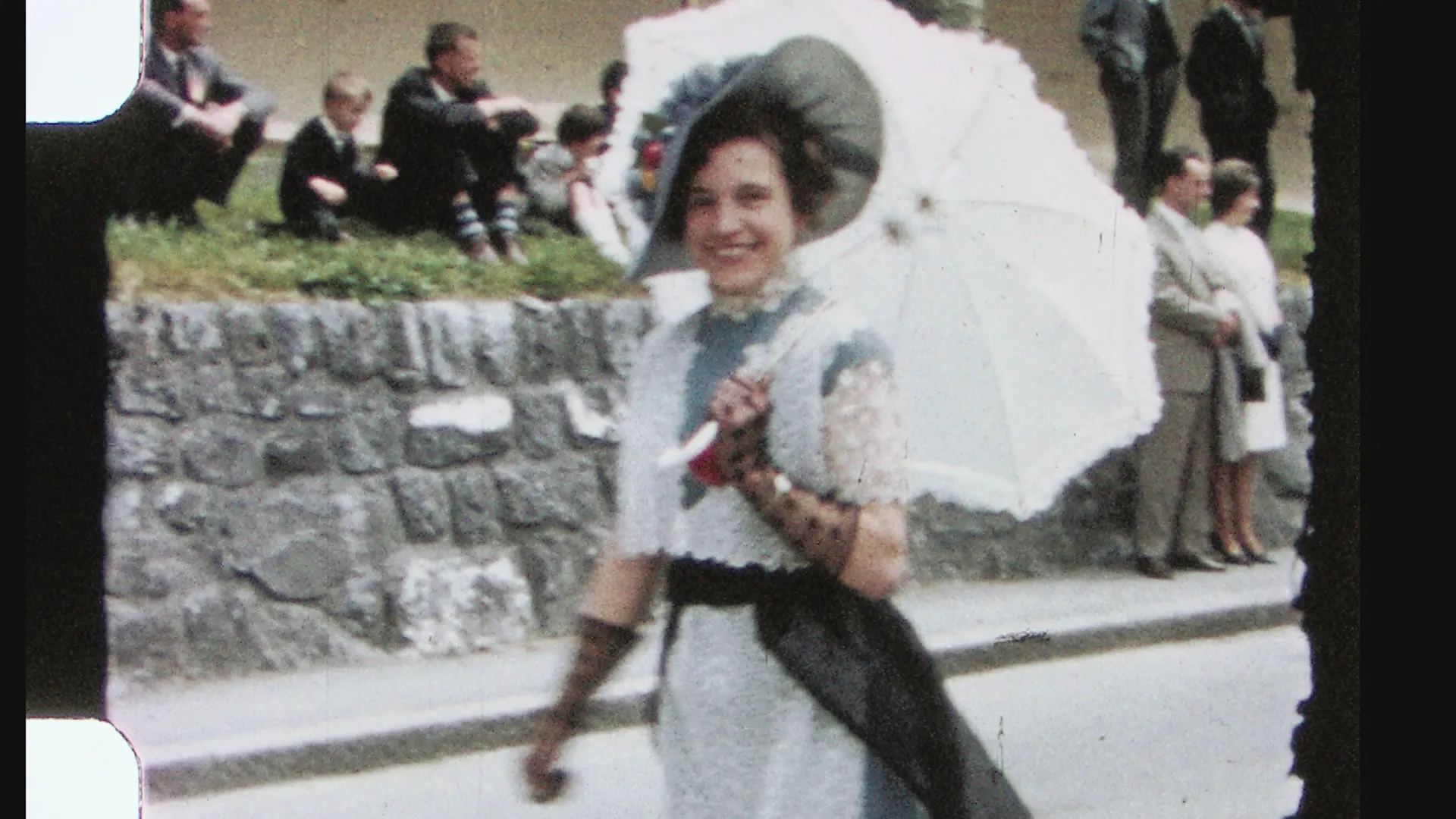
More film than you'll ever see
The scan reaches past the delivered picture on the left and right sides. Interpolation artifacts cling to the outer margin — which never survives the final crop.
06One clean pass over a consistent sequence
assemble → final filtration · temporal radius 4
With cuts respected, the reel is assembled — originals and generated frames interleaved into one continuous clip — and we run a single final restoration pass across the whole thing. This step is only possible because of the matching work earlier. A temporal cleaner judges each frame against its neighbors; if shot and generated frames disagreed on sharpness or grain, it would read that disagreement as motion and either smear the detail, or refuse to clean.
Because every frame now looks like it belongs, we can push that pass hard. We run a wide temporal radius — a setting of 4, pooling several neighboring frames at once to separate genuine detail from residual noise and debris, far more aggressively than the original, inconsistent scan would ever tolerate. The tripled frame-rate works in our favor here - more neighboring images that agree, a cleaner separation of signal from noise.
That final pass is thorough — thorough enough to leave the picture looking faintly digital. So the very last step is to give it back a fine, even film texture. This does more than look right: a little restored grain makes the image read as sharper, and holds it together in motion, giving the eye stable edges to lock onto from frame to frame. More on what that texture is — and isn't — below.
07See it for yourself
before · after
Here is the same parade clip, untouched on one side and ×3 interpolated on the other. Watch the marchers' legs and the pan across the crowd. The stutter that reads as "old film" is gone, while the grain still looks like film.
08What it can't fix: Baked-in motion blur
limits
There is one problem no amount of interpolation can undo. When the camera itself is shaking — not the subject moving, but the whole frame jerking in the operator's hand — each affected frame is captured with motion blur smeared straight into it. That blur isn't grain or noise sitting on top of the picture; it is the picture, recorded soft at the instant the shutter was open.
Stabilization helps the footage hold still, but it only repositions frames. It cannot sharpen one that was already blurred at capture. So, a stabilized shaky sequence can sit rock-steady and still flicker between crisp frames and soft, smeared ones. It becomes a blur that strobes in and out in time with how the camera shook.
Interpolation can even make that worse. The model assumes the frames it's handling are clean targets to move between. Give it a blurred frame and it faithfully carries that blur into the new frames it generates, sometimes reinforcing the smear rather than diluting it. Where a shot carries heavy baked-in motion blur, we can smooth the motion but not recover the sharpness the camera never captured. It's important to know this at the outset.
09What we won't do
artificial grain = trickery
It's worth being precise about that final texture, because practices vary between transfer houses. Some lay on heavy grain to disguise interpolation artifacts, or to fake resolution that a soft scan never actually captured. That we don't do! Our texture is light and even. It improves how cleanly the image holds together in motion, but it never invents detail your film doesn't have, and never papers over a seam between a shot frame and a generated one. Where a frame looks sharp, the detail underneath is real.
None of the individual steps here is exotic on its own. What makes this approach unusual is the combination: Matching the variants, so generated frames leave no seam, sidestepping grain by interpolating across a sharp / grain-free pair, treating every cut as a boundary the model can't cross, and only then cleaning the assembled reel as one consistent piece. Simple parts, fitted together — and together they are what make clean interpolation of grainy archival film actually work!
Why it costs what it costs
None of this is a one-click filter. Every cut in the reel is verified by hand before interpolation, so the model is never allowed to smear across an edit. Each frame passes through the pipeline several times over, with debris reduction and grain reduction to build the two sub-variants, then the cross-variant interpolation itself - and then a final, temporal clean across the whole assembled sequence. It is deliberate, layered work — and that labor and processing time is what the price reflects.
What made all of this possible?
FilmFix developed their own software named CrossFrame. More detail on what that proprietary software offers coming soon.
· · ·
A big thank-you to our Swiss customer Steven Ganter, who gave us permission to use this footage — and who, after we'd talked in great detail about the process and where AI stands today (he has a programming background himself), pushed me with a simple: "Do you offer interpolation?" We do now!
Also thank you to Tom Huebner for his efforts on this blog.